How to Track Gym Attendance Without Logging Every Exercise

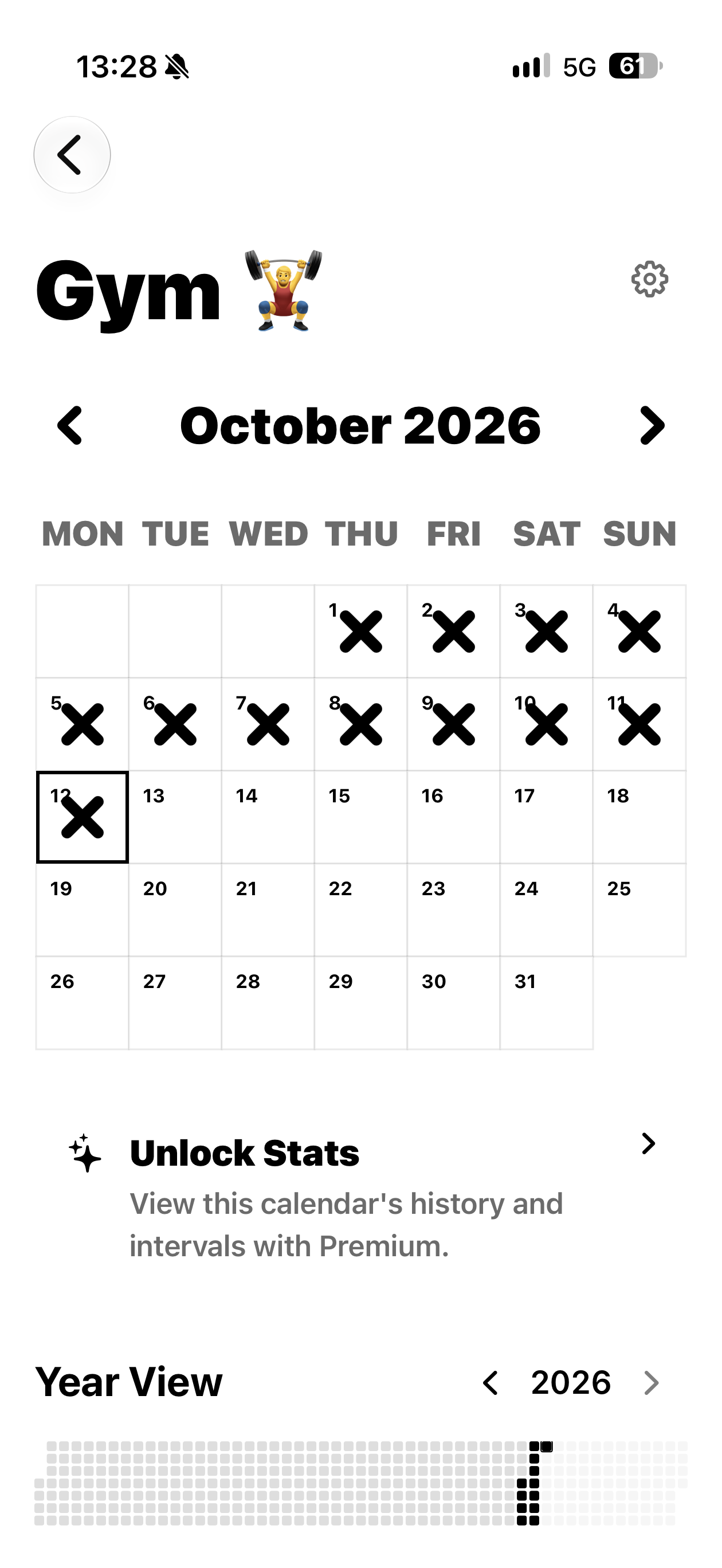
Want to know which days you have been to the gym without entering exercises, sets and weights? X Calendar - Daily Routine Log lets you create a gym calendar on your iPhone and mark each visit with an X.
Can I track gym attendance without a detailed diary?
Sometimes attendance is the only thing you want to remember. You might be getting back into the gym, fitting sessions around work or simply curious about how often you go. A quick date mark gives you that record without adding another job after your workout. Your training programme can stay wherever you already keep it.
How do I use X Calendar to record gym attendance?
For gym visits, the basic setup takes a named calendar and a date mark. You can keep using the same calendar as new dates come along, rather than starting another record each week.
A quick entry is easiest while the date is fresh, so try opening Gym Visits after you get back from the gym. If you add it later, use the day the activity happened rather than the day you remembered to log it. That small habit keeps the calendar clear when you look back, without requiring a detailed diary or extra notes for each occasion.
Call the calendar Gym Visits. After a Tuesday workout, tap Tuesday to add your X. Do the same after Friday’s session. A short visit and a longer workout can both go in the calendar because you are recording the days you attended. If you also train at home, you can create a separate Home Workouts calendar.
- Create a calendar called Gym Visits.
- After you get back from the gym, tap that date to add an X.
- Open Gym Visits whenever you want to see the dates you have marked.
What can I see when I look back at gym attendance?
As the month fills with marks, it becomes easier to see when gym visits fitted into your life. Perhaps weekends were easier than weekday evenings, or your sessions moved when work got busy. You can look at the dates without trying to reconstruct every workout from memory. Rest days can simply remain unmarked.
Think of the calendar as your quick answer to “When did I last go?” You can open Gym Visits and see the recent marked dates without opening a programme or reading exercise notes. If you want to remember gym mornings specifically, create Morning Gym Visits instead. The setup stays the same; the name tells you which visits the X marks belong to.
Keep a workout logger for exercise details if you want them; X Calendar can be your quick view of gym days.
Download X Calendar - Daily Routine Log on the App Store and start your gym visits calendar.